Enabling Online Banking Alerts
Incoming Transfer Over Threshold Amount
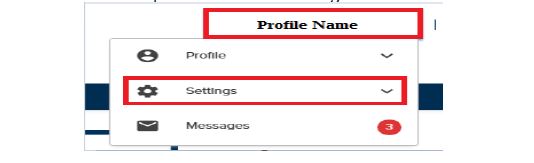
First, log in to your Online Banking account. Next, click on Profile Name and find Settings in the drop down menu.
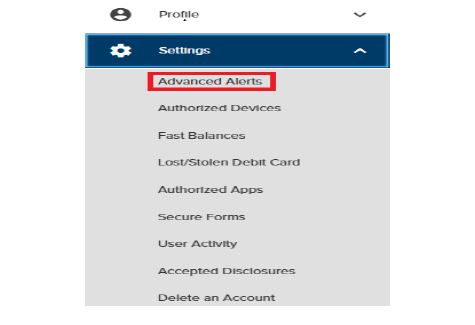
In the Settings drop down menu, find Advanced Alerts. Go to the Transfers section and click the slider on the left labeled Incoming Transfer Over Threshold Amount.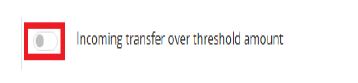
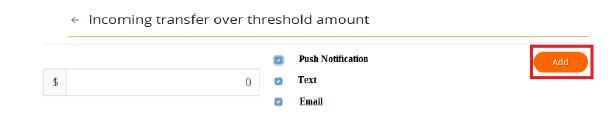
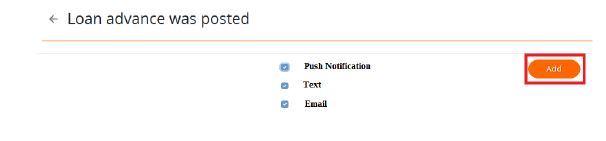
Finally, enter the threshold amount and place a check mark next to your preferred methods of contact for alerts. To finalize, click the orange 'Add' button. 
Loan Advance Alerts
First, log in to your Online Banking account. Next, click on Profile Name and find Settings in the drop down menu.
.JPG)
In the Settings drop down menu, find Advanced Alerts. Go to the Loans section and click the slider on the left labeled Loan Advance Was Posted.
.JPG)
Lastly, place a check mark next to your preferred methods of contact for alerts. To finalize, click the orange 'Add' button.