
Protect Your Personal and Financial Information
Criminals are constantly coming up with new ways to take advantage of you and steal your hard-earned money or collect your personal information to use for their own personal gain. In a constantly evolving world that is making it harder than ever to protect yourself, United Community Bank wants to ensure that you have the information you need to stay protected. We've compiled a list of best practices that you should be utilizing so your information doesn't fall into the wrong hands. If you have any questions, please contact us to speak with banking team.
.webp)
Online Security Protections for Cybersecurity, Hacking, and Phishing
- Never give your online banking credentials to anyone. Do not give them access to your online banking even if they say they are going to make a mobile deposit to your account. This is a common way to become a victim of a scam.
- Create a strong password you actually remember using the following tips.
- Create a long password. A minimum of 8 – 12 characters is recommended.
- Use your entire keyboard. Use numbers, upper and lower case letters and symbols to strengthen your password.
- Eliminate the dictionary words. Never use common words or names in your password.
- Avoid commonly used password patterns. Create your password from a sentence.
- Create unique passwords. Using and reusing passwords in multiple places diminishes the effects of a strong password.
- Storing your passwords safely is crucial. Do not store your passwords in spreadsheets or upload it to the cloud unless it is within an encrypted file.
- Avoid clicking on links in unsolicited emails or emails from unfamiliar sources. The links may lead to an illegitimate website attempting to get you to enter your credit card or other personal information. Some links may download malware (malicious software or computer viruses) to your device when you click on them. These links can steal your banking information, including login identification, passwords and credit or debit card numbers.
- "Phishing” emails pretending to be from popular merchants, banks or other known entities may look legitimate due to graphics copied from authentic websites but are an attempt to steal personal information or other valuable details.
- Remember that financial institutions will not send you an email or call to ask you to put account numbers, passwords, PINs or other sensitive information in your response because they already have this information. When in doubt, call the financial institution directly using a telephone number you know is valid.
- Keep your software up to date.
- Use reputable anti-virus software protection that periodically runs on your computer to search for and remove malicious software.
- Use a firewall program to prevent unauthorized access to your device. A firewall acts as a gatekeeper that helps screen out hackers, malware and other intruders who try to access your device from the internet.
- Be careful where and how you connect to the internet.
- Monitor your bank statements, credit card statements and credit reports for any unusual items related to online activity.
- Don’t leave your mobile device unattended and use a device password or other method to control access if it is lost or stolen.
- Be discreet when using social networking sites. Criminals comb these sites looking for information such as a person’s place of birth, mother’s maiden name or a pet’s name. Those details can assist a criminal to guess or reset passwords for online accounts or figure out answers to security questions.
- Proceed with caution and protect yourself and your personal information online.
Scam Awareness
SMS Text Message “Smishing” Scam
A person received a text message that appeared to be from his local bank. The message stated his debit card has been deactivated and instructed him to call a toll-free telephone number, which he did. When he received a recording that asked him to enter his debit card and PIN, he hung up. He then called his bank and spoke to a representative who stated his debit card was working properly and the text message was a scam.
Text messages like these are quick to grab your attention. Studies show that most text messages are opened within 15 minutes of receipt. Scam artists know this and sometimes target consumers with “Smishing” scams via text message or SMS (short message service).
Smishing occurs when scam artists use deceptive text messages to lure consumers into providing their personal or financial information. The scam artists that send smishing messages often impersonate a government agency, bank, or other company to lend legitimacy to their claims. Smishing messages typically ask consumers to provide usernames and passwords, credit and debit card numbers, PINs, or other sensitive information that scam artists can use to commit fraud.
Don’t be misled by smishing scams. Government agencies, banks and other legitimate companies never ask for personal or financial information, like usernames, passwords, PINs, or credit or debit card numbers via text message.
Don’t “click” open links in unsolicited text messages. Clicking the link may infect your mobile device with a virus or malware designed to steal the personal or financial information stored on the device.
Don’t call a telephone number listed in an unsolicited text message.
Grandparent Scam
A grandparent receives a phone call from their “grandchild” saying that they have been in an accident or have been arrested. They say they need money to pay the emergency room bill or the lawyer and court costs. They might not even sound like the “real” grandchild but insist that the request be kept confidential. The scammers play on the grandparent’s sympathy for their grandchild and provide instructions to wire money or forward funds in some other manner.
If calls like this are received, make sure to contact the grandchild on his or her cell phone or contact their parents to see if the grandchild is even in the area the caller stated. Make sure to deal with the “real” grandchild and not an impostor.
Romance Scam
Two parties meet on the internet, possibly through a dating website, or over the phone. It all seems innocent enough and as time goes on, there seems to be a real relationship. Even though they have never met face to face, one party may start asking the other for money. At first it may be smaller amounts, with the promise to repay when a meeting is finally arranged. Then, there always seems to be some delay because of other family member’s illnesses or work complications.
The money amounts requested become larger and sometimes gift cards are to be purchased and forwarded to the person. Often, they may ask for account information or online banking credentials to set up a PayPal transfer or an automatic withdrawal. They are persistent and promise great things when both are finally together. However, this meeting never happens. The scammer has gotten away with the money and the other person is left with a broken heart.
Mystery Shopper or Employment Scam
A person answers an ad in the newspaper or online. It is a job opportunity and can work from home. The person might even receive an official check as a starting bonus or it is to cover the cost of “account activation.” The scammer hopes to receive these funds before the fake official check clears at the bank and the person, as the new employee, realizes they have been scammed.
Another scenario is the person is promised a sum of money for being a “Mystery Shopper.” That seems easy enough and one could always use some extra money. The person is to evaluate the customer service at a business and also the money transfer service. A cashier’s check or other check is received to deposit to the person’s individual account. Then they are instructed to withdraw the amount in cash and use the local money transfer business to send the funds back to the “employer” and evaluate the service provided by the business.
Soon after the funds are sent out, the fake check is returned to the person’s bank as a fraud and the “mystery shopper” is out the funds that were deposited.
Lotteries, Sweepstakes and Inheritance Scams
A person receives notification that they have won a lottery or sweepstakes. That is great news! However, the person doesn’t recall ever entering such a contest. Or, maybe a person receives word that a relative with the same last name has died in a foreign country and they are entitled to an inheritance. Instructions are received that in order to “claim” the winnings or inheritance, “taxes and fees” must be paid before the person can receive the prize or inheritance money. A fake cashier’s check or other check is sent, which the scammer asks the person to cash and wire back the funds to cover taxes and fees.
Remember, if the contest or inheritance is legitimate, you will never be asked to remit funds to claim your prize or money.
Always remember….If something sounds too good to be true, then most likely it is fraudulent or harmful.
Fraud Prevention Tools
Identity Theft Repair Kit
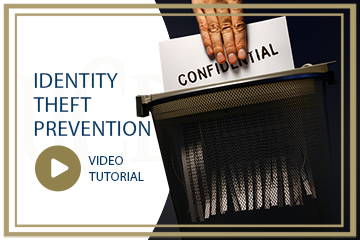
Watch this video to learn more about the steps you can take if you believe your identity has been stolen. We also invite you to download our identity theft repair kit.
Credit Report Freeze
If you’re concerned about identity theft, data breaches, or someone gaining access to your credit report without your permission, you might consider placing a credit freeze on your report.
Credit Report Freeze FAQs
.webp)
SHAZAM® Brella™ Debit Card Monitoring
Using this app allows you to take full control of your debit card and detect fraudulent activity immediately. SHAZAM Brella allows you to:
- Turn your card on and off
- Set up notifications based on transaction type and amount
- Receive fraud alerts
- Verify your purchases
- Submit travel notices for your card
- Locate ATMs nationwide
You can download the app from your app store provider. 

Protect Your Business from Corporate Account Takeover
Corporate Account Takeover (CATO) is a serious form of cyber fraud where criminals gain unauthorized access to a business’s financial accounts—often by stealing login credentials. Once inside, they can initiate fraudulent transactions, manipulate payroll, and compromise sensitive customer data.
At United Community Bank, we encourage businesses to take proactive steps to reduce their risk:
- Establish a Security Plan: Assess your exposure and implement strong internal controls.
- Secure Your Digital Environment: Use complex, unique passwords, avoid public Wi-Fi, and keep systems updated.
- Monitor Accounts Daily: Stay alert to unusual activity and report concerns immediately.
- Understand Your Role: Business accounts carry greater responsibility and fewer protections than consumer accounts. Review and follow the UCB Online Banking agreement.
- Train Your Team: Educate employees on recognizing threats—security is a shared responsibility.